This article explains how to restrict who can post within a Teams channel. By default all members can post, however we may want to limit posts to only the owners.
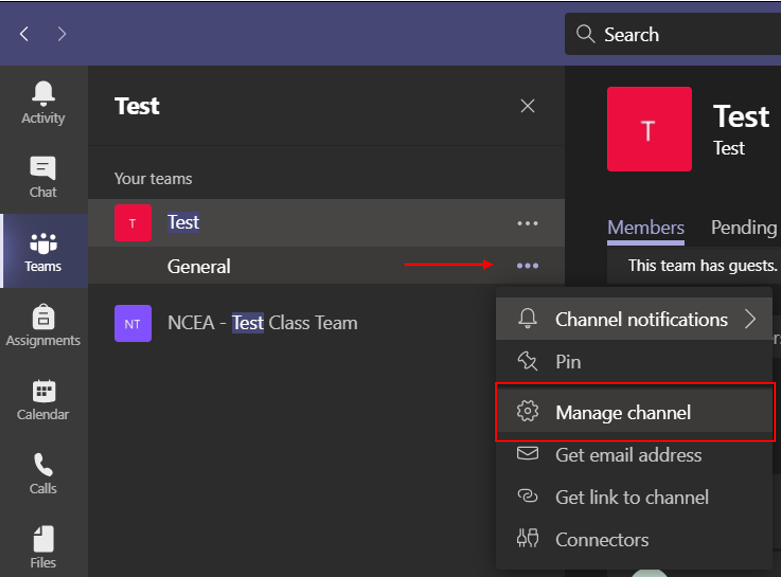
1. Open the channel settings menu by selecting the three dots within the Teams list (select the channel settings, not the Team settings).
2. Select 'Manage channel'.
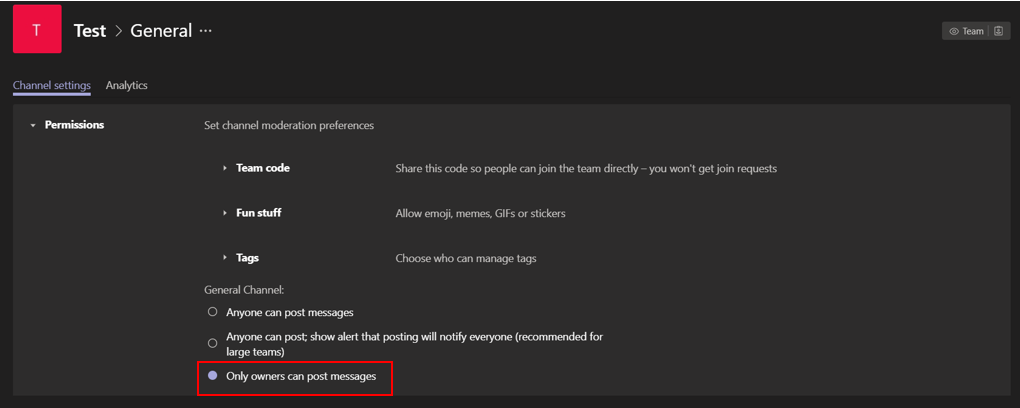
3. Change the channel options to 'Only owners can post messages'.
4. Repeat these steps for any other channels which you would like to restricting posting on.
Was this article helpful?
That’s Great!
Thank you for your feedback
Sorry! We couldn't be helpful
Thank you for your feedback
Feedback sent
We appreciate your effort and will try to fix the article